Saving and Loading the results of Toponymy
Once you’ve fit a Toponymy of your dataset, you may want to save the results and load them again later. Toponymy provides a dataclass called TopicModel that stores the final topic model information of a fitted toponymy. For example, suppose we’ve fit a toponymy on the 20-newsgroup data, as described in Getting Started with Toponymy:
[3]:
from sklearn import datasets
import matplotlib.pyplot as plt
import numpy as np
from sentence_transformers import SentenceTransformer
import pandas as pd
import pickle

model = SentenceTransformer('sentence-transformers/all-mpnet-base-v2')

newsgroups_df = pd.read_parquet("hf://datasets/lmcinnes/20newsgroups_embedded/data/train-00000-of-00001.parquet")

embeddings = np.stack(newsgroups_df["embedding"].values)
projection = np.stack(newsgroups_df["map"].values)

document_metadata = newsgroups_df[['post','newsgroup']]

from toponymy.toponymy import Toponymy, ToponymyClusterer, KeyphraseBuilder
from toponymy.llm_wrappers import OpenAINamer
from pathlib import Path
if Path("topic_model.pkl").is_file():
    with open ('topic_model.pkl', 'rb') as f:
        toponymy = pickle.load(f)
else:
    clusterer = ToponymyClusterer(verbose=True, base_min_cluster_size=25)

    llm=OpenAINamer()

    toponymy = Toponymy(
        llm_wrapper=llm,
        text_embedding_model=model,
        clusterer=clusterer,
        keyphrase_builder=KeyphraseBuilder(ngram_range=(1,6), max_features=15_000),
        object_description="newsgroup posts",
        corpus_description="20-newsgroups dataset",
        exemplar_delimiters=["<EXAMPLE_POST>\n","\n</EXAMPLE_POST>\n\n"],
    )
    toponymy.fit(
        newsgroups_df["post"].str.strip().values,
        embedding_vectors=embeddings,
        clusterable_vectors=projection
    )
MPNetModel LOAD REPORT from: sentence-transformers/all-mpnet-base-v2
Key                     | Status     |  |
------------------------+------------+--+-
embeddings.position_ids | UNEXPECTED |  |

Notes:
- UNEXPECTED    :can be ignored when loading from different task/architecture; not ok if you expect identical arch.
TopicModel class
A TopicModel object can be made from this topoynmy using TopicModel.from_toponymy. The toponymy object does not store any metadata about the input documents, but you can have that information stored in the TopicModel by passing a pandas dataframe as document_df.
[4]:
from toponymy.serialization import TopicModel

topic_model = TopicModel.from_toponymy(
    toponymy,
    document_df=document_metadata
)
topic_model
[4]:
TopicModel(n_samples=18170, n_topics=269)
A TopicModel stores
topic_df - A pandas dataframe containing topic metadata,
cluster_tree - A dictionary whose keys are clusters and values are their children,
cluster_layers - A list of sparse matrices, where the l-th matrix’s ij-th entry contains the inclusion strength of document i in cluster (l,j),
embedding_vectors - The embedding vectors passed to the Toponymy,
reduced_vectors - The clusterable vectors passed to the Toponymy.
In addition, it has two property methods topic_names and topic_name_vectors that mirror the methods of the same name of Toponymy.
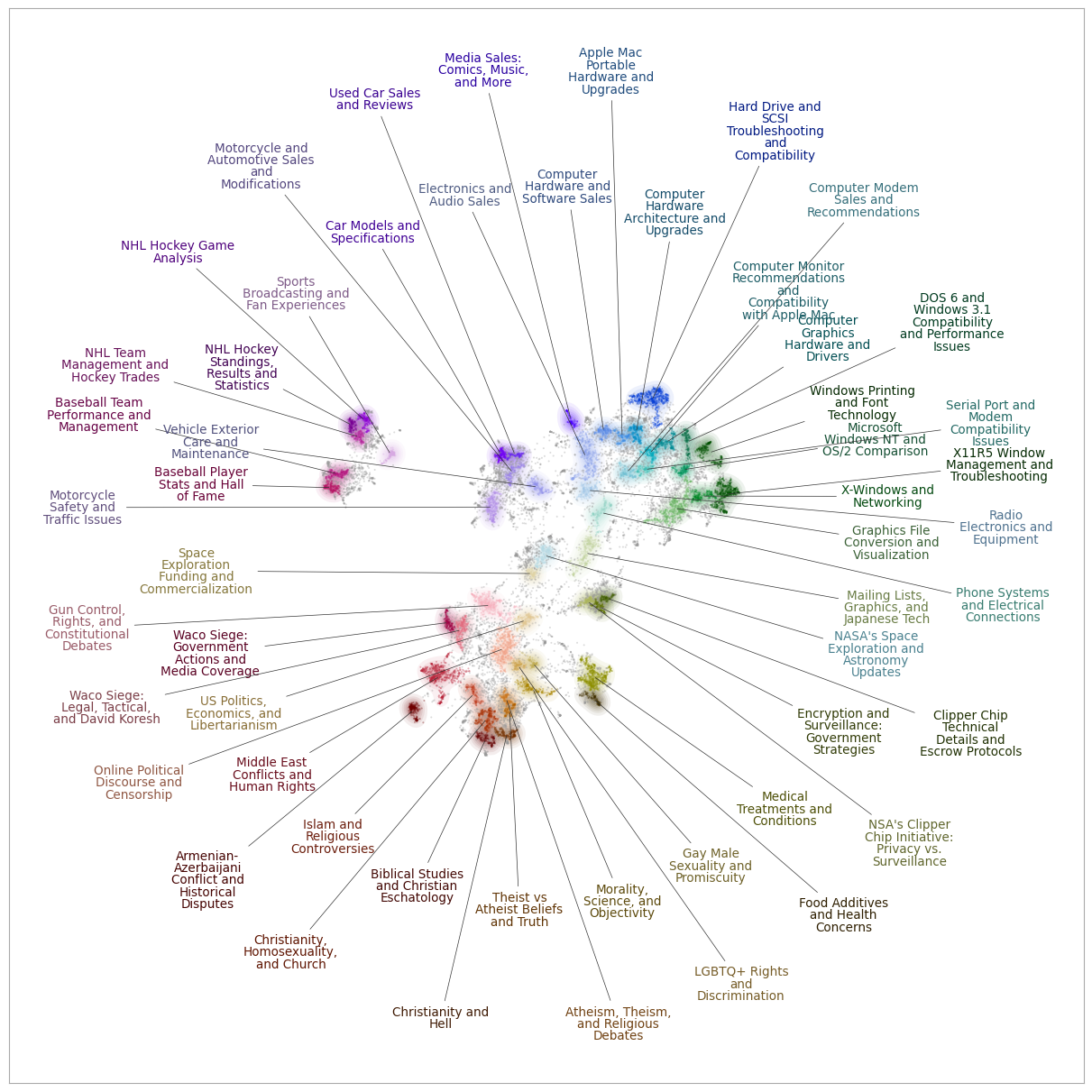
For example, we can create a datamapplot using the TopicModel:
[5]:
import datamapplot
fig = datamapplot.create_plot(
    topic_model.reduced_vectors,
    topic_model.topic_name_vectors[1],
)
Saving to Disk
To save the TopicModel to disk, there are two choices
TopicModel.to_file(path)stores the topic model as a zip file,TopicModel.to_lance(path)stores the topic model as a LanceDB folder.
For example:
[6]:
topic_model.to_file('20ng-topicmodel.tm.zip')
new_model = TopicModel.from_file('20ng-topicmodel.tm.zip')
print(new_model)

topic_model.to_lance('20ng-topicmodel')
new_model = TopicModel.from_lance('20ng-topicmodel')
print(new_model)
TopicModel(n_samples=18170, n_topics=269)
TopicModel(n_samples=18170, n_topics=269)
Both of these save formats are compatible with the thematic-search package, which can be used to search through the results of your topic model. (See: Toponymy Integration in the Thematic Search documentation.)